Relocation and removalist businesses live and die on trust and timing.
A client moving house is already stressed. They’re coordinating settlement dates, cleaners, tradespeople, and a dozen other things at once. When they book a removalist, they need to know the job is confirmed, the team will show up on time, and nothing will go wrong.
That trust is built before the truck arrives — through clear communication, prompt follow-up, and a booking process that feels organised. A CRM is what makes that experience consistent, even when your business is busy and your team is stretched.
Here’s what works for relocation and removalist businesses in 2026.
What Relocation and Removalist Businesses Need From a CRM
Fast enquiry response — removalist leads shop around quickly. The first business to respond with a clear quote usually wins. A CRM with instant acknowledgement automation gets you in front of the client before your competitors call back.
Quote and booking pipeline — from first enquiry to confirmed booking to job complete. You need to know at any point what’s quoted, what’s confirmed, and what’s scheduled for the week ahead.
Job details per client — move date, pickup address, delivery address, volume estimate, access notes (stairs, lifts, parking restrictions), special items. This information needs to be in one place and accessible to whoever is running the job on the day.
Corporate and B2B client management — relocation companies that work with real estate agents, property managers, or corporate HR departments have a very different relationship than one-off residential moves. These B2B clients need to be nurtured and kept warm between bookings.
Review and referral follow-up — removalist businesses run largely on Google reviews and word of mouth. A systematic post-job outreach process compounds your reputation over time.
The Best CRMs for Relocation and Removalist Companies in 2026
1. Pipedrive — Best Overall for Removalist and Relocation Businesses
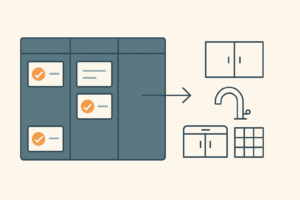
Pipedrive’s visual pipeline gives you a live dashboard of every enquiry and booking — from first contact right through to job complete and invoice sent. For a removalist business handling multiple bookings per week, this kind of visibility is the difference between a well-run operation and a stressful one.
A typical Pipedrive pipeline for a removalist business: Enquiry → Quote Sent → Follow-Up → Booking Confirmed → Job Scheduled → Complete → Invoice Sent. Each job is a card that moves through stages as things progress. At a glance, you know what’s booked this week, what’s still just a quote, and who you need to follow up.
- Custom fields — move date, pickup suburb, delivery suburb, job size (small/medium/large/interstate), source (Google, referral, real estate agent), deposit status
- Activity reminders — follow-up tasks auto-set when quotes go out
- Email sync — all correspondence logged per client automatically
- Mobile app — crew leaders can check job details without calling the office
- Separate B2B pipeline — manage your real estate agent and property manager relationships independently from residential bookings
Pricing: From $14/month per user.
Verdict: The best fit for most removalist and relocation businesses. Easy to set up, easy to use daily, and gives you the pipeline visibility to run a tighter operation.
2. HubSpot CRM — Best Free Starting Point
If you’re a smaller removalist business and want to get organised without spending on software, HubSpot’s free CRM is the right starting point. Customisable pipeline, contact records, email tracking, task reminders, and a meeting booking link — all free, forever.
- Free forever — no trial, no credit card
- Custom pipeline stages for your booking flow
- Email open tracking — know when a client reads your quote
- Booking link — let clients pick a time for a callback or walkthrough
- Contact notes — all job details logged per client
The limitation: No automated sequences on the free plan. Manual reminders only. For automation, upgrade to Starter or connect to Make.com.
Verdict: Ideal entry point for smaller operations or businesses just starting to systematise. Free to try, easy to migrate from when you’re ready to upgrade.
3. Zoho CRM — Best for Larger Relocation Companies
For a relocation company handling corporate contracts, interstate moves, and multiple crews — with a sales team managing the pipeline — Zoho’s additional depth pays off. Custom modules for corporate accounts, stronger reporting, and built-in automation make it worth the setup time at scale.
- Separate modules for residential, corporate, and interstate moves
- Team pipeline management — assign jobs by crew or region
- Built-in workflow automation — trigger emails and tasks without Make.com
- From $14/month
Verdict: Worth considering if you’re running a team with multiple service lines. For most removalist businesses, Pipedrive is the faster, leaner choice.
Setting Up a CRM for Your Removalist Business
Step 1: Build your booking pipeline. Create stages that match your actual process: Enquiry → Quote Sent → Follow-Up → Booking Confirmed → Scheduled → Complete → Invoiced. Make the Follow-Up stage explicit — it’s where most bookings are either won or lost to a competitor.
Step 2: Set up your job detail fields. Every removalist job has the same information you need to capture: move date, pickup address, delivery address, access notes, estimated volume, and how they found you. Build these as custom fields so every record is consistent and your crew always has what they need.
Step 3: Create a separate company record for every B2B relationship. If a real estate agent sends you five jobs a year, they deserve their own record with notes on their preferences, past jobs, and a regular check-in schedule. This is how you turn occasional B2B referrals into consistent ones.
Step 4: Quote follow-up on a tight timeline. Removalist leads move fast — 48 hours is often the right follow-up window, not 5 days. Set your reminder the moment the quote goes out and don’t let it slip.
Step 5: Connect your email and booking system. Both Pipedrive and HubSpot can sync with Gmail and Outlook. If you use an online booking form, Make.com can push new bookings directly into your CRM — no manual data entry.
Automations That Make the Biggest Difference for Removalist Businesses
Connect your CRM to Make.com and automate the parts of your process that currently fall through the cracks:
Instant quote acknowledgement. When a lead fills in your quote form, Make.com immediately sends a reply: “Thanks for reaching out — we’ll have your quote to you within 2 hours.” You stop losing leads to competitors who reply first while you’re in the middle of a move.
Booking confirmation sequence. When a client confirms a booking and pays a deposit, Make.com sends a confirmation email with all the job details, a reminder 48 hours before the move, and a day-of message with the crew’s contact number. The client feels looked after. You didn’t write any of those emails manually.
Post-move review request. 24 hours after the job is marked complete, Make.com sends a message: “Hope the move went smoothly! If you have 2 minutes, a Google review would mean a lot to us.” Early, personal, and it converts far better than asking a month later.
B2B check-in sequence. Every 60 days, Make.com sends a brief message to your real estate agent and property manager contacts: “Hi [Name], just checking in — any upcoming moves coming up we can help with?” Low effort, high return on your best referral relationships.
Need Someone to Set It Up For You?
We set up CRM and automation systems for relocation and removalist businesses — configured for your workflow, with the automations running before we hand it over.
You handle the moves. We build the system.
Get in touch to find out more →
The Bottom Line
The removalist businesses that grow are the ones that respond fastest, follow up consistently, and make their clients feel looked after before, during, and after the move. A CRM is what makes all of that systematic rather than dependent on individual effort.
Pipedrive is the best overall choice for most removalist and relocation businesses. HubSpot Free is the right starting point if you want zero cost to begin. Add Make.com for automated confirmations, reminders, and review requests — and you have a complete client management system running in the background while your crew is on the road.
Related reading: Best CRM for Property Developers and Home Builders (2026) | Best CRM for Home Renovation Contractors (2026) | Best CRM for Real Estate Agents (2026)
Related Reading
RECOMMENDED CRM
Try Pipedrive Free for 14 Days
The CRM built for B2B sales teams. Visual pipeline, easy setup, no bloat. Trusted by 100,000+ businesses worldwide.
↑ Part of our trade CRM series — see CRM guides by trade.
Pipedrive keeps every quote and booking visible so jobs stop slipping to a competitor.
Try Pipedrive free →