When it comes to capturing leads in the B2B space, efficiency is key. Enter Jotform, reviewed here in our comprehensive Jotform review 2026, as an intuitive form builder that promises to simplify and enhance your data collection processes. Jotform says it is trusted by over 40 million users, but is it the right tool for your business needs? In this detailed review, we'll delve into Jotform's features, usability, pricing, and more to help you make an informed decision.
Jotform Review: Core Features and Functionality
Jotform is celebrated for its robust set of features that cater specifically to B2B companies looking to streamline their lead capture processes. Its easy-to-use, drag-and-drop interface allows even the least tech-savvy user to create powerful and functional forms. Jotform boasts an extensive form template library, which provides a large library of pre-made templates (Jotform cites 20,000+ on its own site), ensuring companies can find just what they need to get started quickly with minimal setup time.
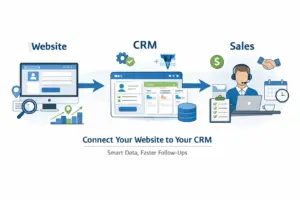
For B2B teams, Jotform’s integration with popular CRMs like Salesforce and HubSpot is invaluable. This ensures that all collected data is easily transferred and accessible, reducing the risk of loss or delay. Moreover, Jotform's customization options let businesses tailor each form to align perfectly with their brand identity, enhancing brand consistency.
Core strengths:
- Extensive template library for quick form creation.
- Seamless CRM integrations to boost data efficacy and workflow modernization.
- Highly customizable to enhance brand visibility and identity.
What it doesn’t do: While Jotform excels in ease and customization, it doesn’t include built-in advanced automation features.
Price: Jotform offers a freemium model, with paid plans starting at $34 per month billed annually ($39 per month billed monthly). Prices checked 25 Oct 2026 on Jotform’s pricing page; they change, so confirm before you buy.
Best for: Small to medium B2B teams looking for an easy-to-use, highly customizable form builder.
Integration and Connectivity
In the B2B world, data synergy is crucial, and Jotform's vast array of integrations makes it a powerful tool in any business’s tech stack. Whether you need to connect with a CRM, payment gateway, or other productivity tools, Jotform meets and exceeds such needs comfortably and efficiently.
Jotform lists 150+ integrations, which means your forms can directly send data to platforms like Google Sheets, Slack, and Trello. This accelerates data management and boosts operational efficiency significantly. For businesses heavily reliant on CRM platforms such as Salesforce, Jotform’s integration ensures that data flows seamlessly, reducing manual entry and minimizing errors. Additionally, it supports payment integrations with PayPal and Stripe, enabling you to process transactions directly from forms.
Integration strengths:
- Wide range of application integrations to enhance operational coherence.
- Direct CRM data transfer, optimizing workflow and lowering operational complexities.
- Payment processing capabilities with PayPal and Stripe ensuring financial operations remain seamless.
What it doesn't do: Integration setup may require some initial technical know-how, especially for custom API setups.
Price: Integrations are available on all plans, but some advanced integrations are restricted to higher-tier subscriptions offering enhanced customization.
Best for: Businesses seeking connectivity between their form data and existing tech stack.
Pricing Plans
Understanding the pricing structure of Jotform is crucial for B2B companies that need to manage budgets wisely. Jotform offers several tiered plans to suit different business sizes and needs. Starting with a free plan, Jotform provides access to basic features. However, for B2B companies that require higher limits on submissions and storage, the Bronze, Silver, and Gold plans offer increasingly expanded features and capacities.
Prices below are USD per month, as listed on Jotform’s pricing page on 25 Oct 2026. Jotform shows two prices for each plan, so we give both: the lower figure is billed annually, the higher is billed monthly.
- Starter (free): 5 forms and 100 submissions a month.
- Bronze: $34 billed annually, or $39 billed monthly. 25 forms and 1,000 submissions a month.
- Silver: $39 billed annually, or $49 billed monthly. 50 forms and 2,500 submissions a month.
- Gold: $99 billed annually, or $129 billed monthly. 100 forms and 10,000 submissions a month.
- Enterprise: custom price.
HIPAA-enabled features are available on Gold and Enterprise only. Jotform’s page marks them unavailable on Starter, Bronze and Silver, so a healthcare-adjacent team needs Gold at minimum. Prices checked 25 Oct 2026.
Pricing strengths:
- A free tier and paid tiers that step up by form and submission limits.
- Generous submission limits on paid tiers to drive operational efficiency.
- HIPAA-enabled forms on the Gold plan for regulated environments.
What it doesn’t do: Free plan is quite limited for serious business use with high data inflow requirements.
Price: Free (Starter) up to Gold at $99 per month billed annually ($129 billed monthly); Enterprise is custom. Prices checked 25 Oct 2026.
Best for: Small to large B2B companies needing adaptable pricing structures that allow room for scaling upward efficiently.
Ease of Use and Onboarding
When time is money, a tool’s usability can drastically impact a business’s operations. Jotform shines in this area with a user-friendly interface that makes form creation an enjoyable experience with minimal learning curve. Onboarding is straightforward, with no complex procedures necessary to start using Jotform. New users can easily navigate the platform, thanks to its simple drag-and-drop builder.
For users who might require assistance, Jotform offers a variety of tutorials and guides that provide step-by-step instructions, ensuring even beginners can create powerful forms efficiently. Additionally, the responsive customer support and forums are excellent resources if any issues arise during onboarding or use, enhancing user satisfaction and product reliability.
Ease-of-use strengths:
- Intuitive interface suitable for beginners, reducing professional learning expenses.
- Comprehensive guides and tutorials assist users to harness the full potential.
- Responsive customer support for real-time troubleshooting, bolstering confidence in usage.
What it doesn’t do: Although user-friendly, some advanced features may still require additional exploration and learning to fully utilize.
Price: Included within all plans.
Best for: New B2B teams or users without technical expertise looking to expedite startup processes.
Security and Reliability
Jotform ensures that data security and reliability are at the forefront, which is particularly important in the B2B sector where sensitive information is exchanged. With security features such as 256-bit SSL encryption, PCI compliance, and HIPAA-enabled forms on the Gold plan, businesses have the controls they need, subject to their own configuration.
Jotform’s security page states a 99.9 percent uptime ratio. That is Jotform’s own figure, not something we have measured.
Security strengths:
- High-level security protocols aligning with industry best practices.
- Consistent uptime and reliable performance promoting business continuity.
- Regulatory compliance options (HIPAA, PCI) supporting data-intensive industries.
What it doesn’t do: Security features can be complex to fully configure for maximum benefit.
Price: Jotform says 256-bit SSL applies on every plan. HIPAA-enabled features need the Gold plan ($99 billed annually, $129 billed monthly; checked 25 Oct 2026).
Best for: B2B organizations handling sensitive or regulated data that require robust security solutions.
Pros and Cons of Jotform
Summing up the key advantages and disadvantages can help businesses decide if Jotform is the right choice.
Pros:
- Extensive template and customization options ensure a tailored form design process.
- Seamless integrations with popular CRMs and tools accelerate productivity enhancements.
- Security features include encryption and compliance options that help protect data.
- Cost-effective plans for different business sizes facilitate scalability and resilience against budget constraints.
Cons:
- Limited advanced automation compared to some competitors might require additional tool adoption.
- Free plan may not suffice for larger B2B needs demanding greater data processing capacity.
- Advanced features’ complexity can be daunting for beginners without prior tech exposure.
Best for: B2B organizations that require customizable and secure form solutions yet value simplicity and operational efficiency.
Quick Comparison: Jotform vs Typeform
| Feature | Jotform | Typeform |
|---|---|---|
| Templates | 20,000+ (Jotform’s figure) | See Typeform |
| Integrations | 150+ (Jotform’s figure) | See Typeform |
| Security | 256-bit SSL and PCI on all plans; HIPAA on Gold | See Typeform |
| Pricing | Free – $129/month billed monthly ($99 billed annually) | $28 – $91/month billed monthly (Basic to Business; check Typeform for annual pricing) |
| Usability | Beginner-friendly (our view) | Moderate learning curve (our view) |
Pricing, template and integration figures: Jotform and Typeform pricing pages, checked 25 Oct 2026. For a fuller side-by-side, see Jotform vs Typeform for B2B.
Biggest Mistakes When Using Jotform
Not Utilizing Integrations
Many businesses fail to take full advantage of Jotform’s integration capabilities, limiting data flow and overall efficiency. Make sure to fully explore and use available integrations.
Ignoring Form Customization
Overlooked customization can make your forms appear less professional. Always use Jotform’s tools to align the form design to your brand identity
Sticking to the Free Plan Too Long
The free plan is a great start, but as business needs grow, it’s essential to upgrade to access all beneficial features.
Frequently Asked Questions about Jotform
Is Jotform suitable for small B2B teams?
Yes, Jotform’s flexible pricing and simple user interface make it an excellent choice for small B2B teams.
Can Jotform handle secure data collection?
Absolutely, Jotform lists 256-bit SSL and PCI compliance on every plan, and HIPAA-enabled features on the Gold plan, so it is built for secure data collection when configured properly.
Does Jotform offer customer support?
Yes, Jotform provides a variety of customer support options, including a knowledge base, support tickets, and community forums.
How does Jotform compare to other form builders?
Jotform is highly competitive, offering a robust feature set and integrations, with emphasis on security and ease of use. Its comprehensive offerings distinguish it among peers, making it optimal for scalable solutions.
Which Form Builder Should You Choose?
You’re a startup on a tight budget → Jotform’s free plan provides essential tools for getting started, but be ready to scale. Learn more about automation solutions.
You need seamless CRM integration → Jotform is a perfect fit with its wide array of supported CRM integrations. Explore more in our Guides section to fine-tune deployment strategies.
Security is your top priority → Choose Jotform for its enhanced security and compliance measures. These comprehensive protections ensure that any organization can outpace potential vulnerabilities effectively.
You want lots of customization → Go with Jotform to customize forms extensively to match your brand and user needs.
Ready to Get Started with Jotform?
If you’re ready to take your B2B lead capture to the next level, why not start with Jotform? With its comprehensive feature set and flexibility, it’s designed to meet the demands of business users everywhere. Explore more options or contact us for further insights by visiting our Contact Page and discover the applications ready to impact your business positively through streamlined operations and comprehensive security.
📋 Ready to Try It?
Try Jotform Free — Up to 5 forms, 100 monthly submissions
The free Starter plan includes all features within its limits (Jotform pricing page, checked 25 Oct 2026).
Related Reading
↑ Part of the BD Toolkit — see the B2B tech stack.
Jotform captures the enquiry and can push it straight into your pipeline — no manual re-entry.
Try Jotform free →