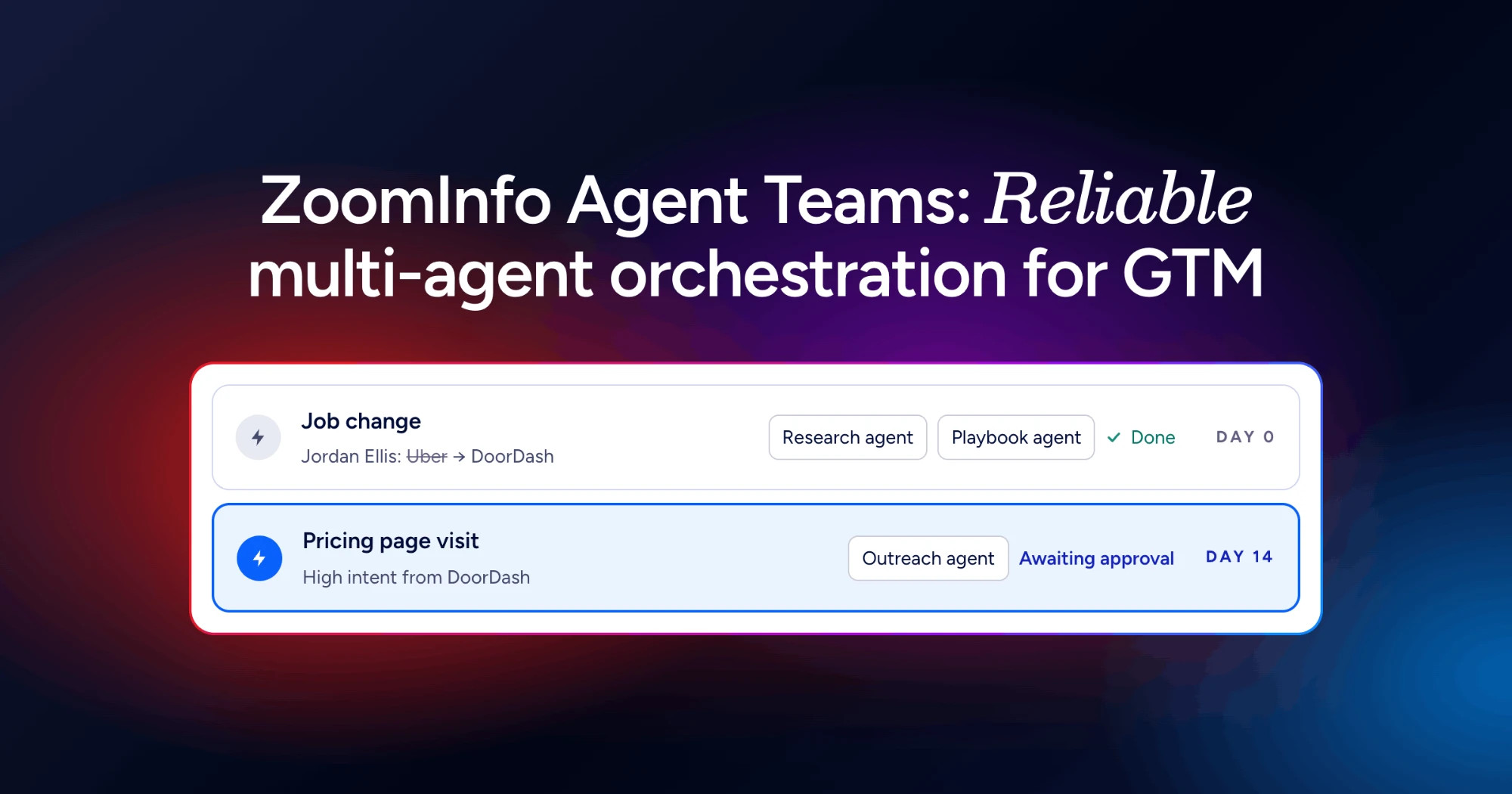
If your business pays for ZoomInfo, you’re probably using it the way most technical B2B companies do: look someone up, export a list, move on. Meanwhile the platform is quietly noticing things that are worth money to you. A past customer contact starts a new job at a plant you’ve never sold to. A deal you lost in March has gone quiet, but the problem you quoted on hasn’t gone away. A customer you just won has three competitors running the same kind of line. ZoomInfo’s new Agent Teams, launched on 1 October, is meant to act on those moments. I’m going to skip the feature list. Here are three plays that turn it into quotes, and the one I’d run first.
Image: ZoomInfo, from the official Agent Teams announcement
Play 1: Follow your best contacts when they change jobs
The money: the engineer or operations manager who signed off your last project already trusts you. When they move to a new company, they arrive with problems to fix and a supplier they know works. It’s the warmest lead you’ll ever get, and in most businesses nobody notices it happened until a competitor has already been in.
How I’d run it:
- Tag your real champions in the CRM first. Not every contact: the twenty or thirty people who actually pushed a purchase through. Agent Teams can only follow the people you tell it matter.
- Set up the job-change play ZoomInfo describes. When a tagged contact moves, it checks whether the new company is already a customer and fits your ideal customer profile, maps who else is involved in buying, and drafts outreach.
- Send the draft and the research to the account owner in Slack or Gmail. Don’t let it email the contact directly. More on why below.
- The account owner rewrites the first line into something only they could say: “Congratulations on the move. When we did the palletising cell at your old site you mentioned the changeover problem. Is that something you’re walking into again?”
The maths, as an example: say twenty-five champions, and four of them change jobs in a year. If two of those turn into a quote and one closes as a $60k project, that’s $60k from people you already know. Your numbers will differ, but once it’s set up the play costs very little to run.
Play 2: Go back to the deals you lost, on a schedule
The money: closed-lost deals. A lot of them weren’t really lost. The budget moved to next year, the champion left, or a cheaper supplier got the job and didn’t deliver. In a business with long sales cycles, the lost pile from twelve months ago is full of deals that are live again, and nobody is looking.
How I’d run it:
- Before you switch anything on, clean up the lost reasons on the last year of lost deals. If half of them say “Other”, the agent has nothing to work with.
- Run ZoomInfo’s closed-lost win-back play monthly. It reviews why each deal stalled and proposes a new approach.
- Give it a sharper instruction than “re-engage”: “For each deal lost on price or timing in the last 12 months, check whether the company has new hires in engineering or operations, new sites, or visits to our website since we lost it. Rank the top five and explain the evidence for each.”
- The rep reviews the top five, picks two, and calls. Calls, not emails. A lost deal deserves a human voice.
The maths, as an example: forty lost quotes last year at an average of $35k is $1.4m of work you’ve already scoped. If a monthly review revives three a year and you win one, that’s $35k you’d otherwise never have seen, for maybe an hour a month of rep time.
Play 3: Use every new win to open its competitors
The money: when you install a system for one manufacturer, every other company running the same kind of process becomes a much easier conversation. You have a reference, a result and a story that’s specific to their industry.
How I’d run it: ZoomInfo has a prebuilt Closed/Won Competitor Acceleration template. On a new win, it reviews the deal history, drafts a case study and identifies ten non-customer competitors of the new customer to approach. I’d use the first two steps and keep the third on a leash. Have the agent produce the case-study draft and the list of ten. Your customer approves the case study (some won’t want to be named, which is common in industrial B2B). Then the rep picks the three best fits and writes to them personally, describing the type of job without naming the customer if they’ve asked you not to.
How I’d actually do it
Start with Play 1. It can do the least damage, it reaches the warmest audience, and within a quarter you’ll know whether the job-change signals in your region are any good. Play 2 comes next, but only after you’ve cleaned up your lost reasons. Play 3 needs a customer’s permission and is the easiest to get wrong, so it goes last.
The big caveat: ZoomInfo’s headline says approval is built in, but its own FAQ lists a “Pause for Review” step as coming in a future release. Until that ships, I wouldn’t let any play send to a customer or write to your CRM without a person checking it first. Route every output to the account owner instead. Agent Teams can write to Salesforce and HubSpot, which is exactly why I’d be careful with it: one bad play can overwrite a month of clean data.
Two more honest points. Agent Teams runs on ZoomInfo’s own data, so it’s only as good as ZoomInfo’s coverage of your market. Check how well it knows the mid-sized Australian manufacturers and distributors you sell to before you build anything on it. And it’s billed in consumption-based AI credits against your existing contract. ZoomInfo shows a credit estimate before you activate a play, so read it. If you don’t already pay for ZoomInfo, none of this is a reason to start. A spreadsheet of your champions and a quarterly LinkedIn check will run Play 1 for free.
Where this fits
If you’re not on ZoomInfo, Clay or Apollo can run similar job-change and research plays. And if cleaning up the lost reasons in Play 2 shows a pipeline where nobody can say which deals are real, that’s the actual work of CRM Pipeline Rescue: fixing stages, reasons and ownership so an agent has something true to act on.
What shipped, for reference: Agent Teams is available now in ZoomInfo GTM Studio with no new SKU or contract, billed in consumption-based AI credits. Prebuilt templates include Inbound Lead Activation, Outbound Prospecting, Closed/Won Account Handoff, Closed/Won Competitor Acceleration, Meeting Insights & CRM Update and Weekly Sales Briefing. It connects to Salesforce, HubSpot, Salesloft, Outreach, Slack and Gmail. A “Pause for Review” human approval step is on the roadmap but hasn’t shipped. It’s built on technology from DoubleO.ai, which ZoomInfo acquired on 30 September.
Source: ZoomInfo, “Introducing ZoomInfo Agent Teams”, 1 October 2026.