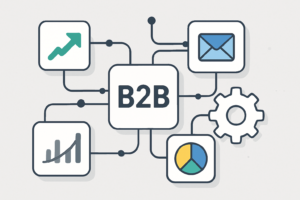
Imagine automating all your time-consuming workflows within your B2B team overnight. It sounds like a dream, right? Well, for many small to medium-sized B2B teams, it’s now a reality thanks to Make.com. This tool has become a game-changer in automating complex workflows without needing coding skills, enhancing productivity and efficiency at every level of your business.
Core Features
At the heart of Make.com is its ability to connect various apps and automate complex workflows, saving valuable time.
With its visual editor, users can drag and drop to build sophisticated integrations with ease. This simplicity means even those with limited technical skills can build powerful automations.
What B2B teams like about it:
- Intuitive, visual interface simplifies complex integrations.
- Over 1,000 app integrations cater to various business needs.
- Scenario testing ensures your automations work flawlessly.
What it doesn’t do: Although flexible, it can become overwhelming when handling extremely complex processes without a clear plan.
Best for: B2B teams looking for straightforward, non-code automations.
Integrations
One of Make.com’s biggest strengths is its vast array of integrations. You can connect a multitude of apps across different domains—CRM, marketing, sales, and more—seamlessly.
These integrations are what allow Make.com to serve as a central hub for your business operations, connecting disparate tools into a cohesive system.
What B2B teams like about it:
- Easy integration with popular apps like Google Workspace and Slack.
- Allows for customization of workflows to suit business-specific processes.
- Enables cross-platform data sharing and synchronization.
What it doesn’t do: While it covers many apps, some niche applications might require custom connections.
Best for: Teams that utilize a broad array of software tools.
Pricing Plans
Make.com’s pricing is designed to cater to everyone from small teams to larger businesses, ensuring scalability as your needs grow.
The pricing model is based on the number of ‘operations’ consumed, as well as the level of advanced features required. This flexibility allows teams to start small and scale-up operations as needed.
What B2B teams like about it:
- Free tier available for small-scale usage.
- Pay-as-you-go model allows for cost-effective scaling.
- Transparent pricing with no hidden fees.
What it doesn’t do: Pricing can become expensive for teams that heavily utilize advanced features.
Best for: B2B teams with dynamic scaling needs.
Customer Support
Great customer support can make or break an experience with a tool as potential issues arise. Fortunately, Make.com backs its feature set with strong customer support.
Offering a comprehensive knowledge base, community forums, and responsive email support, users are provided ample resources for troubleshooting and learning.
What B2B teams like about it:
- Responsive and knowledgeable support team.
- Detailed guides and tutorials available online.
- Active community forum for peer support.
What it doesn’t do: Phone support or live chat options are limited, which could be a drawback for some users.
Best for: Teams comfortable with online support and learning resources.
Security and Reliability
Security is a top priority for any business, and Make.com takes it seriously by instituting robust security protocols to protect data.
Make.com adheres to industry standards for data protection and regularly updates its security measures to ensure client data stays safe and secure.
What B2B teams like about it:
- Regular security updates and compliance with data protection regulations.
- High reliability with minimal downtime.
- Robust privacy policies aligning with industry standards.
What it doesn’t do: Real-time operational status updates may occasionally lag.
Best for: B2B teams that prioritize data security and reliability in their operations.
Pros and Cons
While Make.com offers a robust solution for automating workflows, it’s not without its limitations.
On the plus side, the platform provides a highly intuitive interface and extensive integrations, alongside strong support and reliable security.
However, it is not the most cost-effective option for those in need of heavy feature utilization, and may require clearer planning for complex tasks.
- Pros: User-friendly, scalable, extensive integrations, strong support.
- Cons: Can become costly, complex tasks require detailed planning.
What to Look For
Integration Capabilities
Assess whether the tool can seamlessly connect with your existing software suite to maximize its potential benefit.
Ease of Use
Look for a solution that offers a user-friendly interface, especially if your team lacks technical expertise.
Pricing Model
Ensure the pricing aligns with your business size and anticipated growth to avoid unexpected costs.
Support Availability
Determine the level of customer support and resources you may need in case of issues or additional training.
Frequently Asked Questions
Is Make.com suitable for small businesses?
Yes, with its scalable operations and integration capabilities, Make.com is highly suitable for small to medium-sized B2B teams.
Does Make.com require coding knowledge?
No, Make.com prides itself on providing a no-code solution with its visual editor, making it accessible to users without technical know-how.
What kind of support does Make.com offer?
Make.com offers an extensive online knowledge base, community forums, and responsive email support to assist users in optimizing their experience.
How does Make.com ensure data security?
Make.com follows industry-best practices for data security, including regular updates and compliance with privacy regulations.
Which Automation Tool Should You Choose?
You’re looking for seamless app integration → Choose Make.com for its extensive integration capabilities.
If cost-effectiveness is your priority → Explore alternatives with lower operational costs for heavy usage.
You want high reliability and security → Make.com is a secure option with robust privacy policies in place.
Ready to Get Started?
Considering enhancing your team’s productivity and efficiency? Get in touch with us at LeanB2BTools to explore how Make.com can transform your B2B operations!
🤖 Ready to Automate?
Try Make.com Free — 1,000 operations/month
No credit card required. Full access. Cancel anytime.
Related Reading
↑ Part of the BD Toolkit — see the B2B tech stack.
Make automates the handoffs your CRM cannot do alone — lead routing, follow-up triggers, cross-tool syncing.
Try Make free →